
How to Create Product Bundles on Shopify (Step-by-Step Guide)
Product bundling helps you sell more per order. A bundle is just two or more products sold together. Think of a cookie shop that lets you pick 6 cookies from 20 flavours and pay one price, or a skincare store that sells a cleanser, toner, and moisturiser as one set. The customer gets a better deal. You get a bigger sale.
This guide walks you through every way to create a bundle on Shopify, from the manual methods built into your admin, to Shopify's own free Bundles app, to using a dedicated Shopify bundle app like Bundly. New to this? Start at the top. Already selling bundles and want a better setup? Skip ahead to the section that fits. Either way, you'll know exactly how to bundle products on Shopify by the end.
Why Shopify Bundles Directly Grow Your Revenue
Most shoppers land on your store, buy one thing, and leave. That's one item, one transaction, one shipping label. Bundles change that pattern.
When you group products together, four things happen at once.
Customers spend more per order. Bundly merchants see an average order value increase of 12.3%, and across all stores using Bundly, over $20 million worth of bundles have been sold. Bundles are the first tactic in our guide on how to increase average order value on Shopify.
You move slow stock faster. Pair a product that's been sitting on the shelf with something popular, and customers will try it because it comes alongside something they already wanted.
New products get seen. Pair a launch with a bestseller and customers discover the new item without you having to run a separate campaign.
Your cost per sale drops. One bundle order means one pick, one pack, one shipment. You spend less to fulfil a bigger order.
Bundles aren't complicated, and you don't need to offer deep discounts to make them work. You just need to put the right products together.
3 Types of Bundles You Can Create on Shopify
Before you build anything, it helps to know what kinds of Shopify product bundles exist. Each type fits a different store and a different shopper.
Mix and Match Bundles
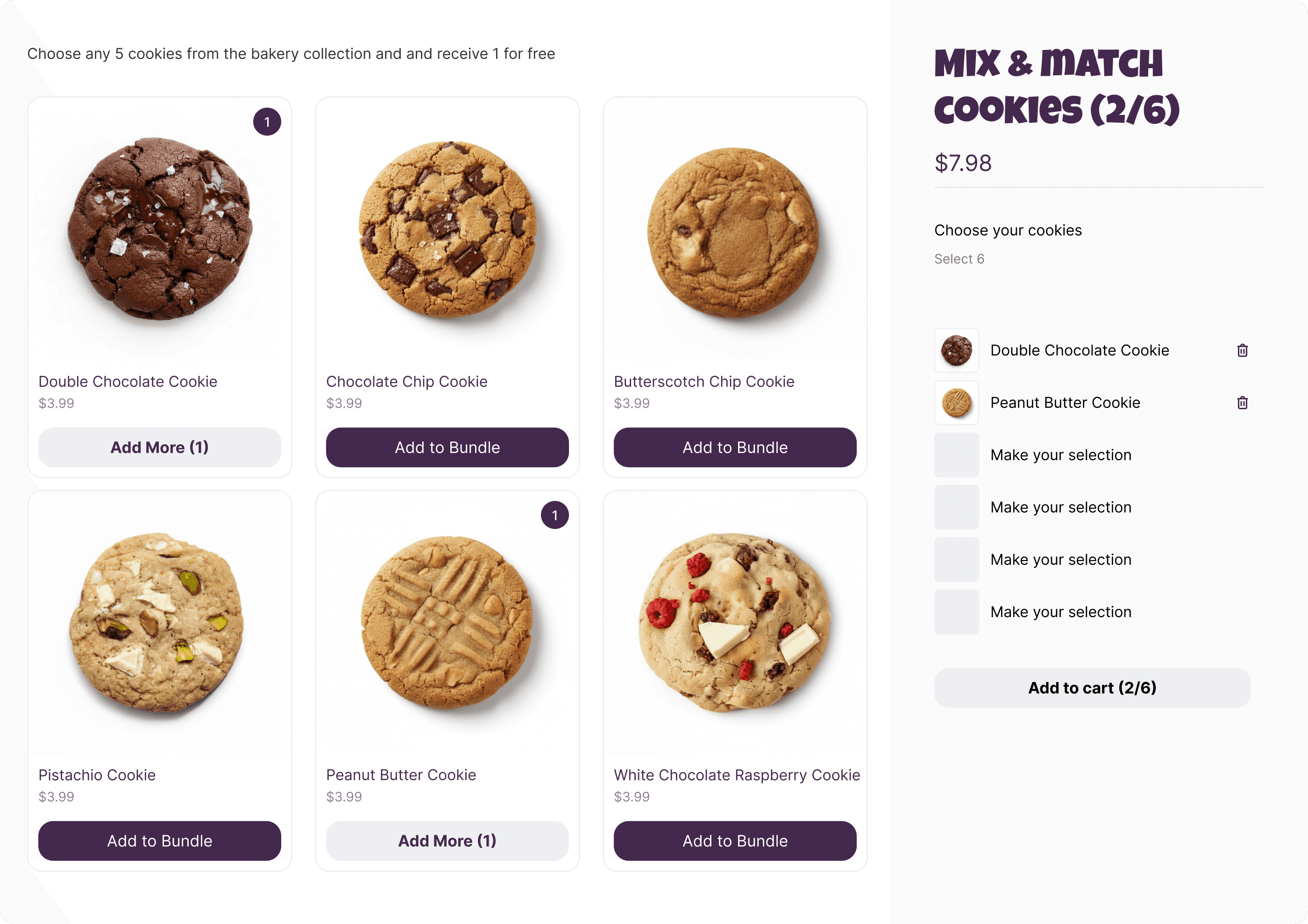
This is the "build your own" bundle. You pick a set of products and let the customer choose which ones go in the box. A tea shop might offer "Pick any 5 teas for $30." A sock brand might say "Choose 4 pairs, get 1 free." The customer has full control over what goes in.
Mix and match bundles work well when you sell products with lots of variety: different flavours, colours, scents, or styles. They feel personal, and that makes customers more likely to buy.
Curated Sets (Fixed Bundles)
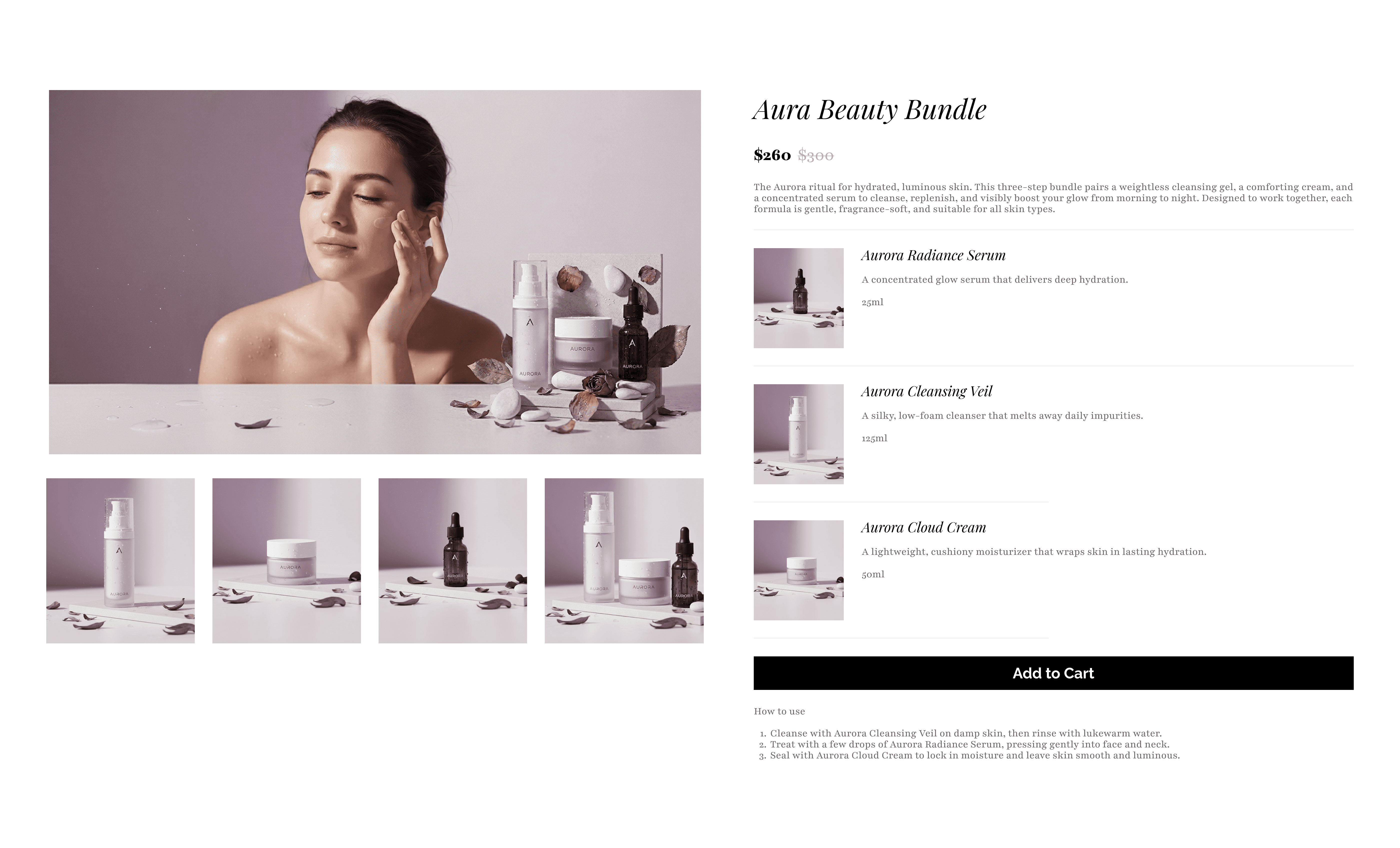
A curated set is a bundle you put together yourself. The customer doesn't pick the items. They just add the whole set to their cart in one click. This works great for gift sets, starter kits, or routines. A skincare store might sell a "Morning Essentials Kit" with a face wash, serum, and sunscreen. The customer doesn't have to think about which products go together. You've already done that for them.
Multi-Step Bundle Builders
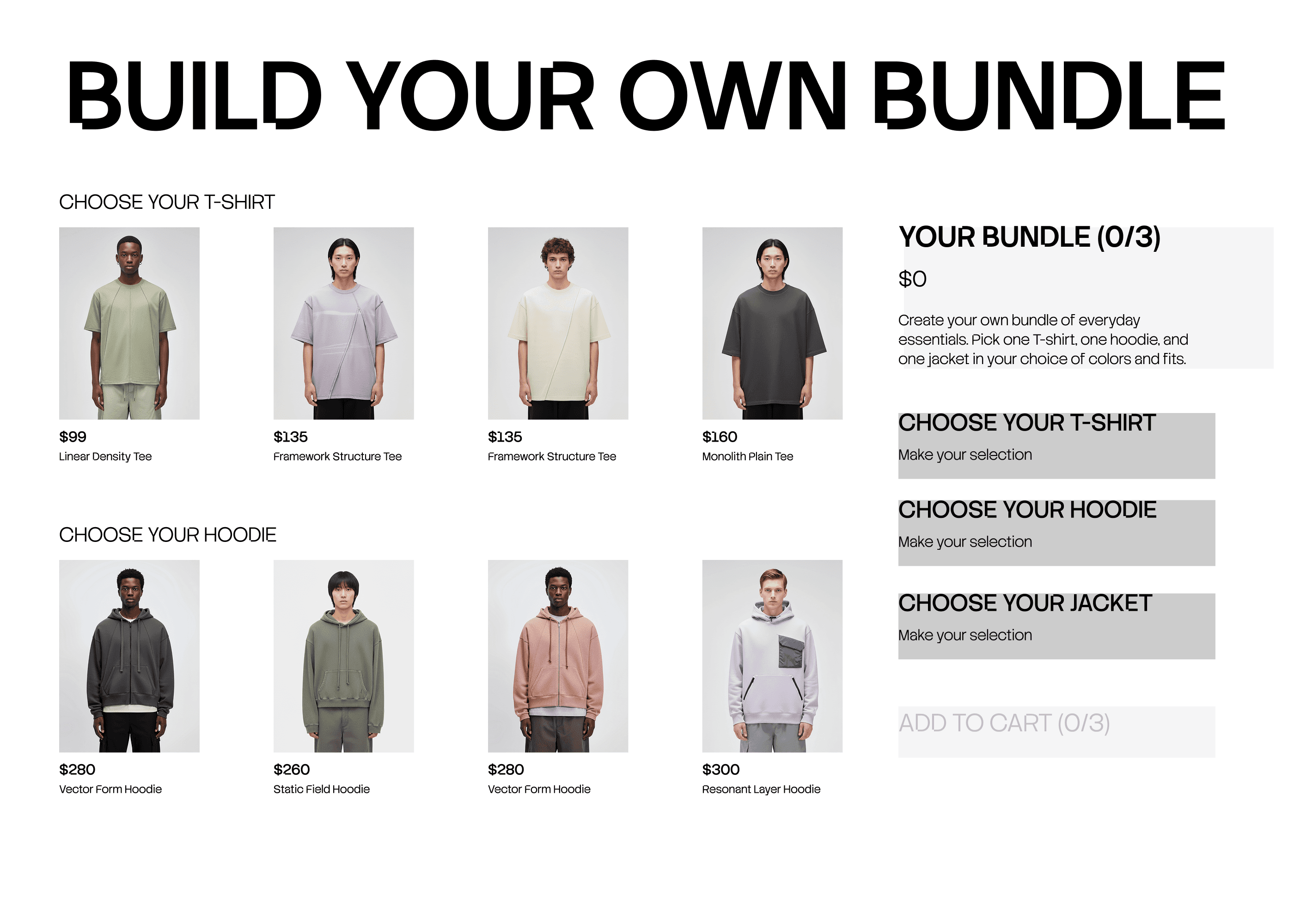
A multi-step bundle walks the customer through choices one at a time. Step 1: pick a shirt. Step 2: pick trousers. Step 3: pick an accessory. Each step narrows the decision, and by the end the customer has a full outfit, a full meal kit, or a complete gift box.
This is useful when the bundle has different product categories inside it. Instead of dumping everything on one page, you guide the customer through it one step at a time.
How to Create a Bundle on Shopify With Bundly
Bundly is a bundle builder app for Shopify that supports all three bundle types above: mix and match, curated sets, and multi-step builders.
Step 1: Install Bundly and Configure Your Theme
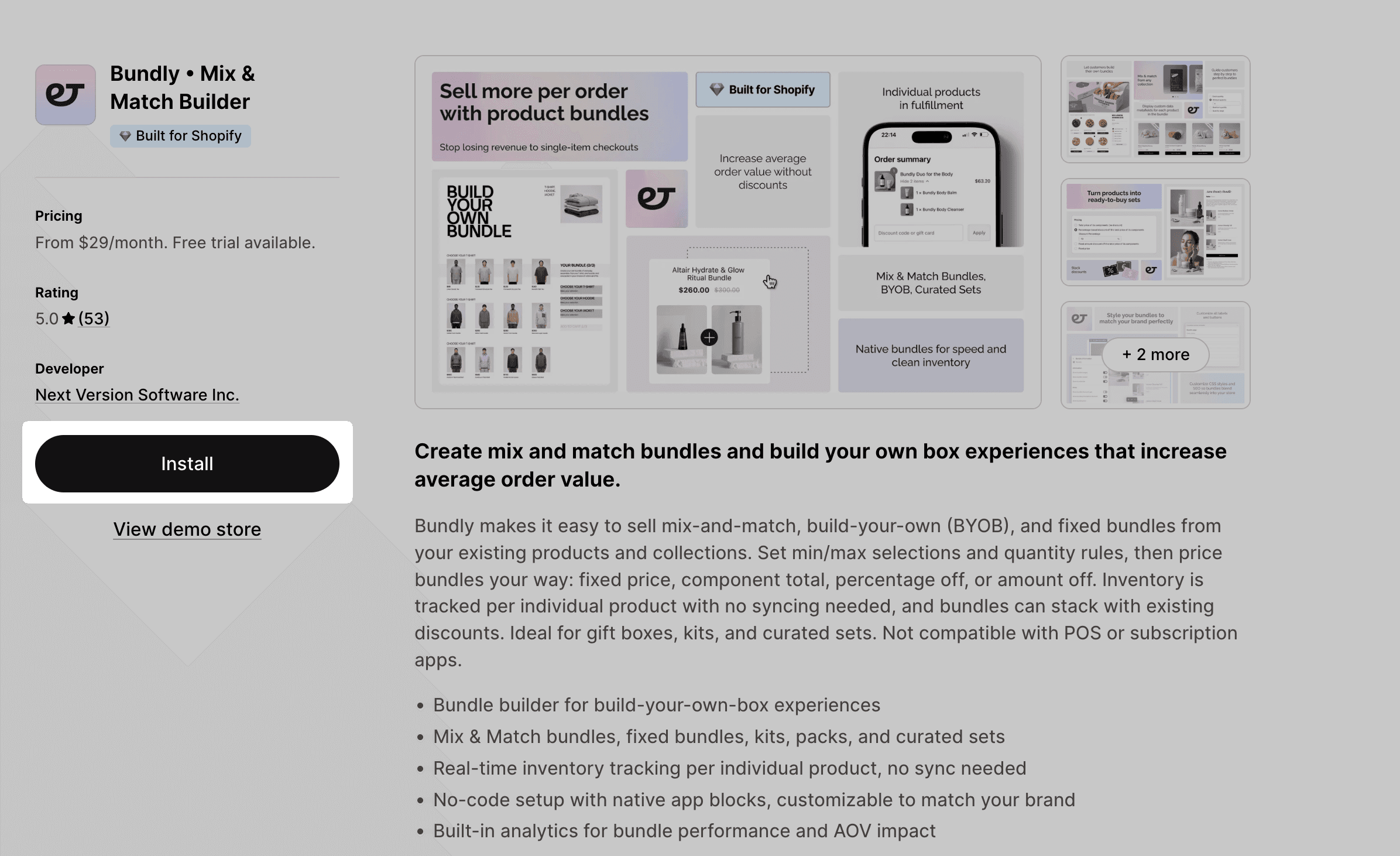
Install Bundly from the Shopify App Store. You get a 14-day free trial, so there's no risk. Once installed, run through the one-time theme setup, where you create a new bundle page template based on your Default product template. Bundly assigns this template to your bundle products and uses it to display bundles on your storefront. The app blocks drop into any Shopify theme, so you don't need to touch any code.
Step 2: Pick a Bundle Layout
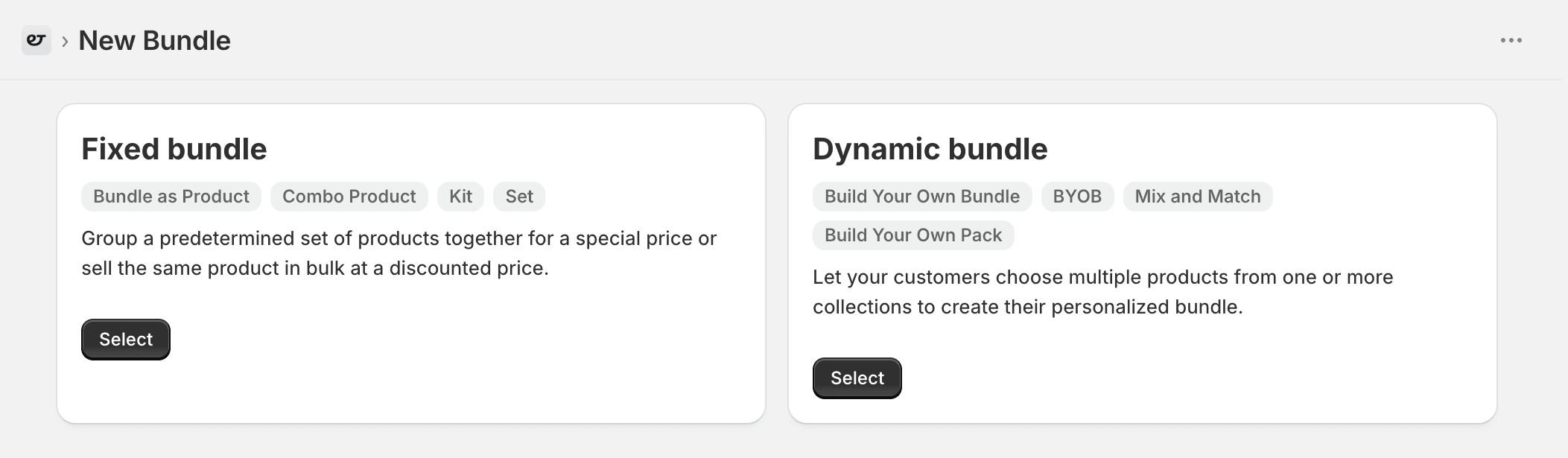
In Bundly, click Create a bundle. You'll see two layouts to choose from:
Fixed Bundle - a predetermined set of products you've put together (curated sets, kits, combo products, or the same product sold in bulk)
Dynamic Bundle - a build-your-own bundle where customers pick their own items from one or more collections (mix-and-match, BYOB, multi-step builders)
Pick the layout that fits what you want to sell.
Step 3: Add Your Products
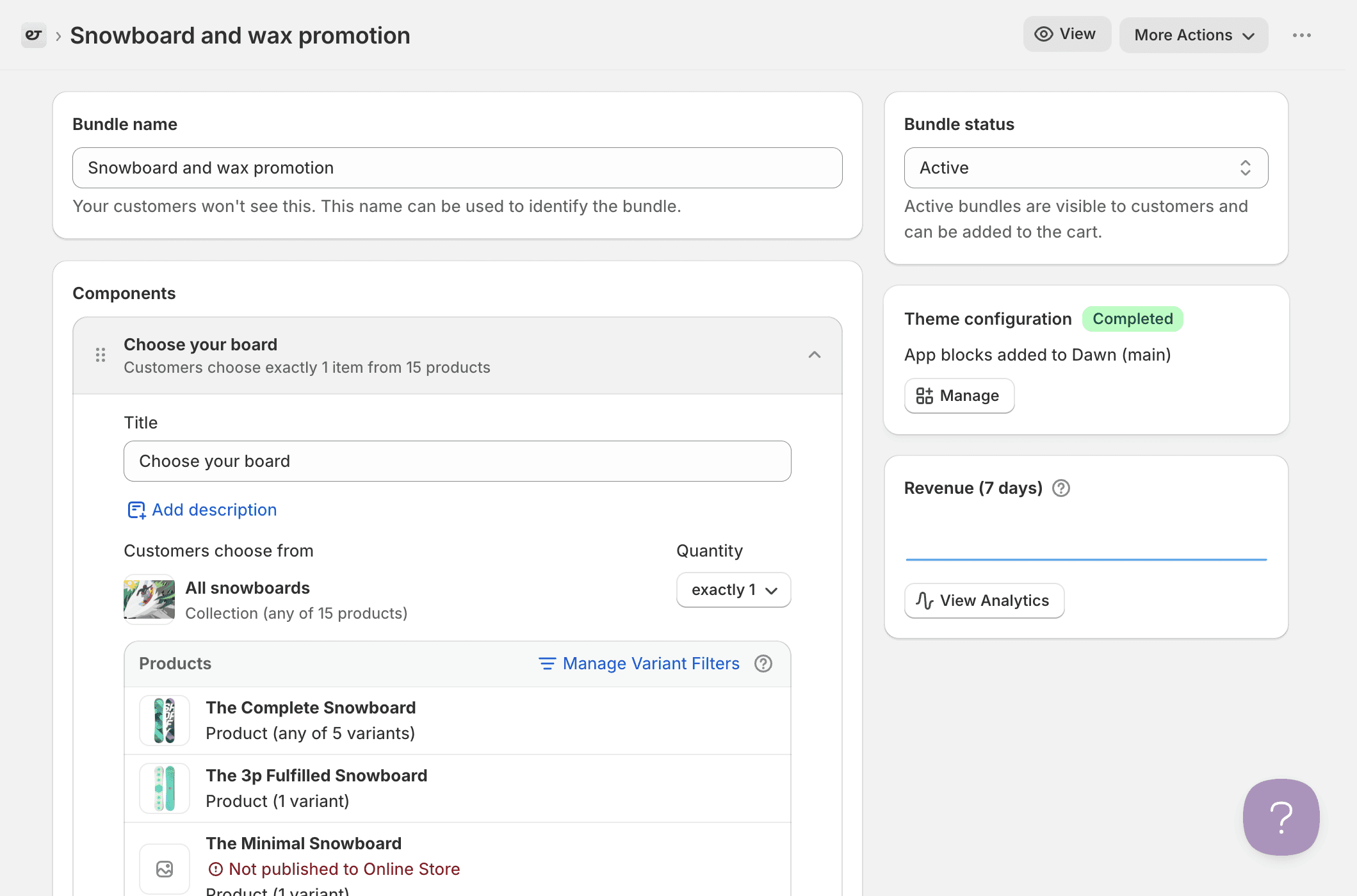
Select the products or collections you want in the bundle. For a mix and match bundle, you choose the pool of products that customers can pick from. For a curated set, you select the exact items in the package.
Step 4: Set Your Pricing
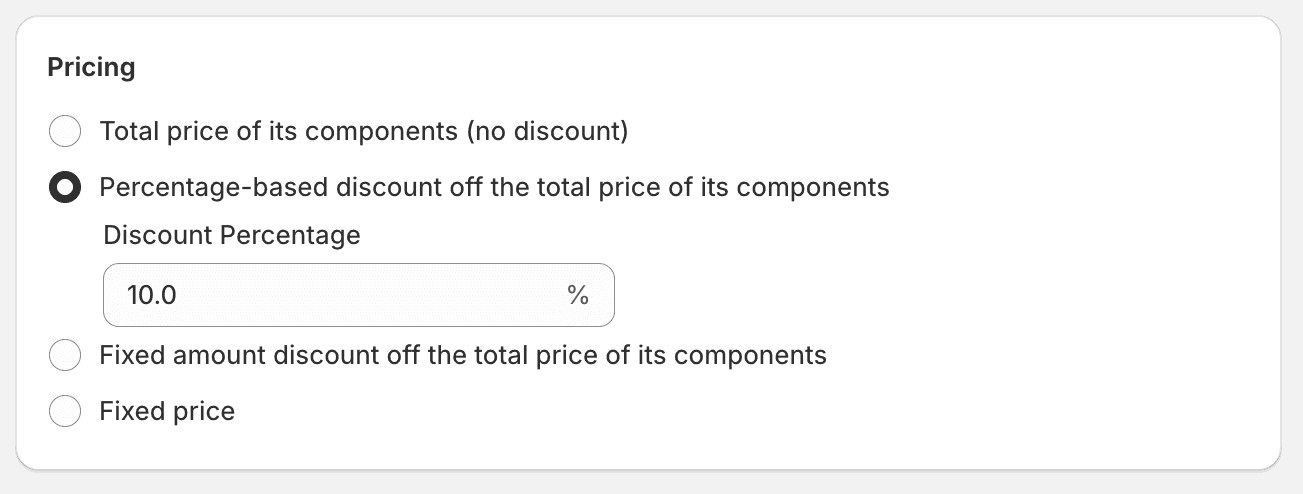
Bundly gives you three pricing options: percentage off (like 15% off the bundle), fixed amount off (like $10 off the bundle), or set price (like "this bundle is $49" regardless of what's inside). Pick whichever one protects your margins while still giving the customer a reason to buy the bundle.
Step 5: Customize the Look
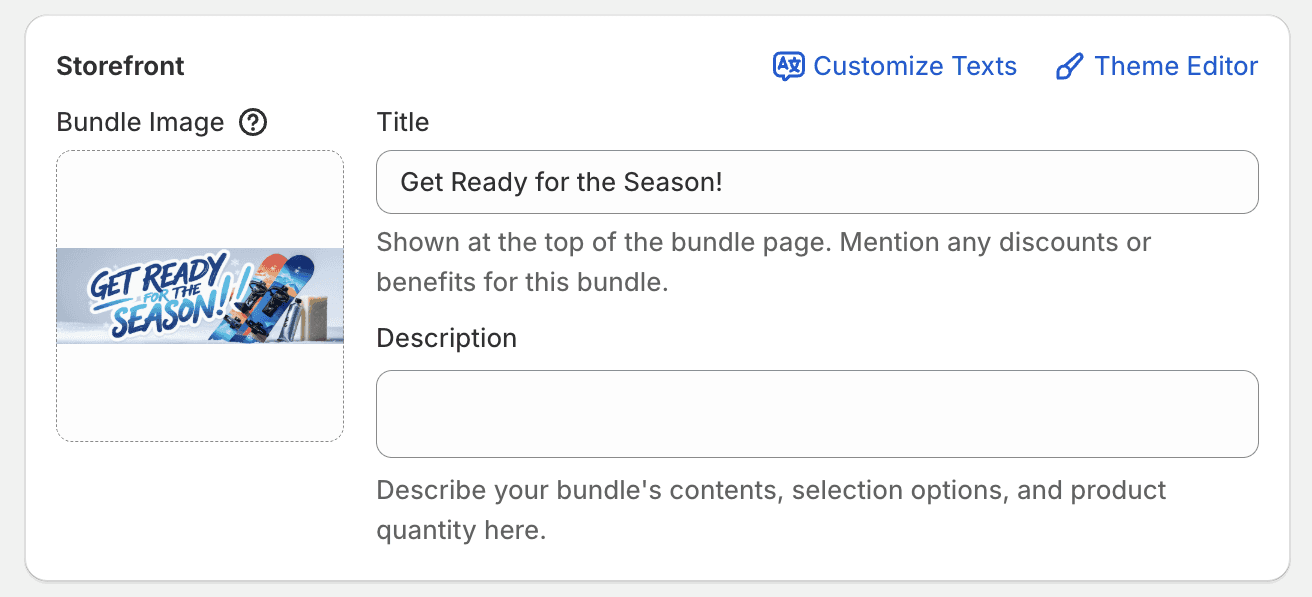
Change the labels, colours, and styles so the bundle page matches your store. Bundles created with Bundly are regular Shopify products, so you can manage everything else the way you normally would: edit SEO titles and descriptions in the Shopify product editor, add bundles to collections, let them appear in your storefront search results, and so on.
When you're ready, change the bundle status to Active and save. Your bundle is live.
Features That Save You Time After Setup
Once your bundles are running, a few Bundly features work in the background.
Auto-merge bundles. If a customer adds bundle items to their cart one by one without going through the bundle page, Bundly detects it and applies the bundle discount automatically. No lost savings.
Product page upsell. You can show the bundle on individual product pages, so if someone is looking at a face wash, they see the full skincare set right there. No popup, no clutter.
Global support. Bundly works with Shopify Markets, B2B catalogues, and every currency you sell in. If you sell internationally, your bundles work everywhere your store does.
Metafield display. If your products have custom data (ingredients, origin, specs), you can show that information inside the bundle widget. Customers see everything they need without leaving the page.
Variant filters. If a product has multiple variants, you can include just some of them in the bundle. Want to sell a sampler with only small sizes? Add the product but filter it down to the small variant. The same works for colours, scents, or any other option.
How to Create Bundles on Shopify Without an App
You don't need an app to bundle products on Shopify. There are three ways to do it inside your Shopify Admin. They all work, but they all come with real drawbacks that get worse as your store grows.
Method 1: Create a New Product as a Bundle
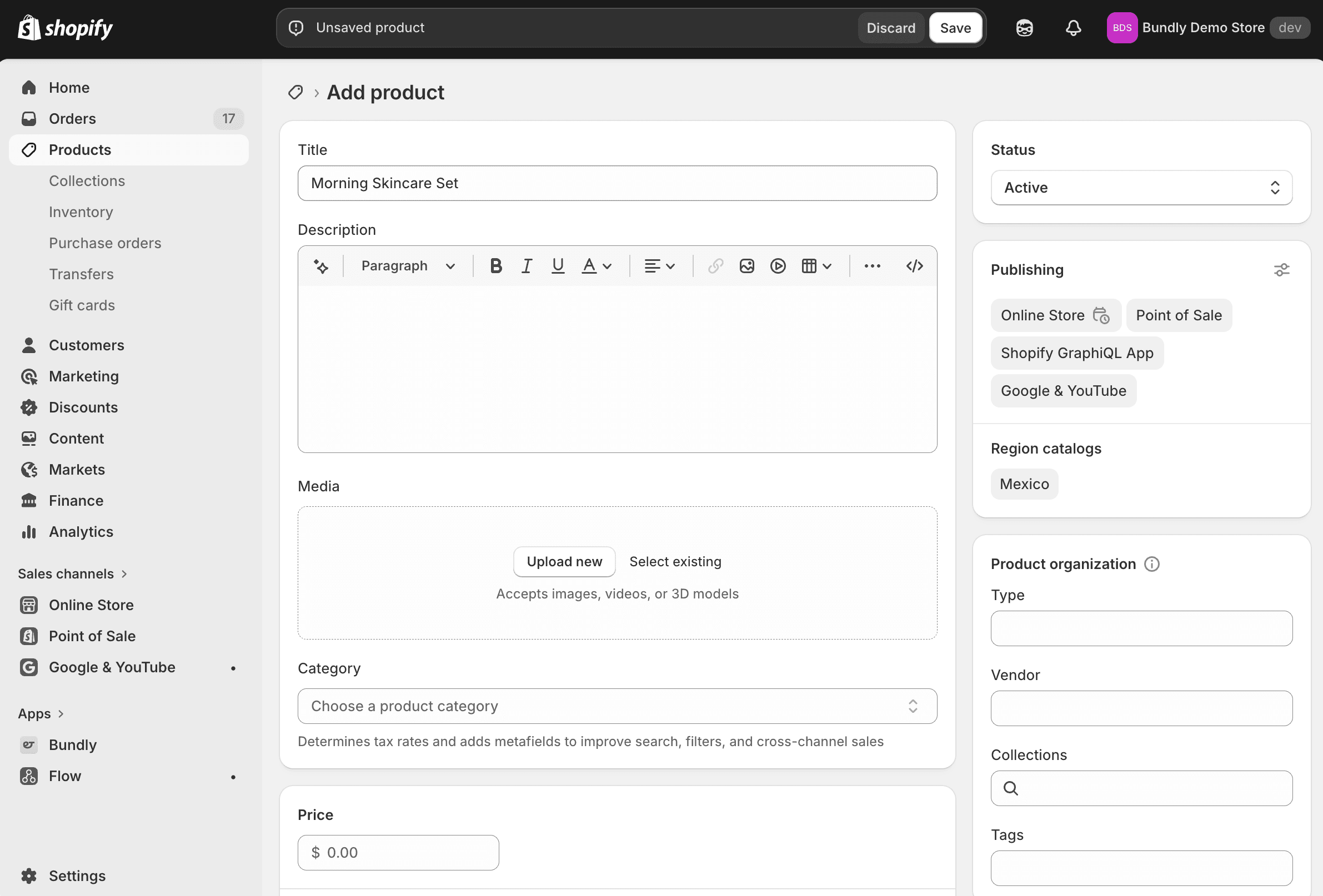
This is the simplest approach. You treat the bundle as its own product with its own SKU.
Go to your Shopify Admin
Click Products in the left sidebar
Click Add Product
Enter the bundle name as the title (for example, "Morning Skincare Set")
Write a description that lists every item in the bundle
Upload photos that show all the products together
Set the bundle price
Click Save
That's it. Your bundle is a product now.
The problem: inventory is completely separate from the individual items inside the bundle. If your face wash sells out on its own product page, the bundle still shows as available. You have to check the stock manually and update it yourself, and if you miss a change, you oversell. This method is fine if you have one or two simple bundles. It falls apart once you have more.
Method 2: Use Product Variants as Bundle Options
Instead of making a new product, you add bundle sizes as variants to an existing product.
Go to Products and select an existing product
Scroll to the Variants section
Click Add options like size or colour
Create a custom option called "Bundle" or "Quantity"
Add values like "1 Pack," "2 Pack - Save 10%," "3 Pack - Save 20%"
Set a different price for each variant
Click Save
Now customers can pick their bundle size right on the product page.
The problem: if someone buys the "3 Pack" variant, Shopify subtracts one unit of that variant from stock. It doesn't subtract three units of the actual product, so your real inventory count is wrong unless you track it manually. And the customer can't pick which specific items go in the pack. They just get multiples of the same thing.
Method 3: Use a Collection With a Shopify Discount
This is the closest you can get to a "build your own bundle" without an app. You create a collection of products and apply a discount to it.
Go to Products → Collections
Click Create Collection
Name it something like "Build Your Own Set"
Add the products you want in the bundle
Go to Discounts and create an automatic discount
Set it to apply to that collection (for example, 15% off)
Save
Customers browse the collection, add items to their cart, and the discount applies automatically.
The problem: there's no visual bundle builder, no progress panel, no step-by-step flow. It looks like a normal collection page with a discount, and customers might not even realize they're "building a bundle." If you have other discounts running, they can also conflict with each other.
Manual Methods vs Bundly: A Quick Comparison
Manual Methods | Bundly | |
|---|---|---|
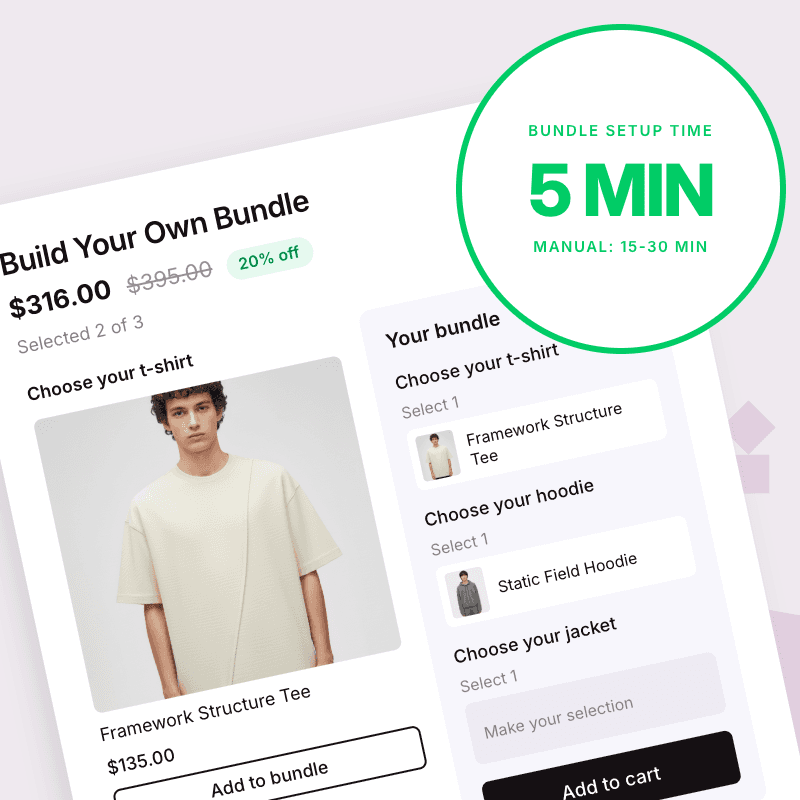
Setup time | 15–30 minutes per bundle | About 5 minutes |
Inventory tracking | Manual. You track it yourself. | Automatic. Updates in real time. |
Risk of overselling | High | None |
Customer chooses items | Only Method 3, and barely | All bundle types |
Visual bundle page | No | Yes, fully branded |
Auto-merge cart detection | No | Yes |
Scales with your catalogue | Poorly | Easily |
Manual methods get the job done for very small stores with very few bundles. But the moment you want to mix and match, real inventory sync, or a bundle page that actually looks good, you need a tool built for it.
Shopify's Free Bundles App: What It Does and Where It Falls Short
Shopify has its own Bundles app. It's free and built by Shopify, so you'll probably see it mentioned when you search for bundle solutions.
Here's what it can do: create fixed bundles (curated sets) with specific products and variants, sync inventory in real time so each item's stock updates when a bundle sells, and show the bundle as a single product in your store with its own product page. That covers the basics. If all you need is a simple pre-made set, say a shampoo and conditioner sold together, Shopify's native app handles it.
But it has clear limits:
No mix-and-match bundles. Customers can't choose their own items.
No multi-step builders. There's no way to walk someone through "pick a shirt, then trousers, then an accessory."
No product page upsells. The bundle only lives on its own product page.
No auto-merge. If a customer adds bundle items individually to their cart, the native app doesn't detect it or apply the bundle price.
Limited customization. You get a basic product page with no branded bundle builder, no progress bar, and no step-by-step flow.
For stores that only sell simple fixed bundles, the Shopify Bundles app is a reasonable starting point. But most stores outgrow it quickly once they want any kind of customer choice, a multi-step build, or a bundle experience that looks better than a standard product page. That's where a dedicated bundle builder like Bundly picks up.
Shopify Bundle Examples by Type
Sometimes seeing real bundle setups makes everything click. Here are examples for each bundle type, with notes on why they work.
Mix and Match Example
A hot sauce shop lets customers pick any 4 sauces from a wall of 12 options. The bundle price is $28 instead of $36 if bought separately. The customer gets to try new flavours they might not have risked buying alone, and the store moves more sauce per order. People like choosing. The act of picking items makes the purchase feel personal, more like building something than just buying it.
Curated Set Example
A jewellery store sells a necklace and chain together as a "Drop Pearl Stack." One click adds both items. The price is lower than buying them separately, and the photo shows them styled together so the customer can picture wearing the set. The decision is easy: the merchant already figured out what pairs well, and the customer just says yes.
Multi-Step Builder Example
An apparel store guides the customer through three steps: pick a t-shirt, pick a hoodie, pick a jacket. Each step shows only the relevant products, and at the end the customer has a full outfit at a bundled price. Instead of scrolling through a huge catalogue and getting overwhelmed, the customer follows a clear path. Less decision fatigue, more completed purchases.
Product Page Upsell Example
A cookware store shows a "Complete Set" offer on the individual pot product page. Right below the "Add to Cart" button, customers see they can get the pot plus a matching pan and lid for 20% less. No popup, no redirect, just a clean suggestion on the page they're already on. You're catching people at the exact moment they're most ready to buy. They came for the pot, they see the set, and a good chunk of them upgrade.
5 Product Bundling Strategies That Actually Work
Knowing how to create a bundle is one thing. Knowing what to bundle and when is where the money is.
Bundle New Products With Bestsellers
If you're launching something new, don't make customers discover it on their own. Put it in a bundle with a product they already know and trust. They'll try the new item because it comes with something they were going to buy anyway. After a few weeks, check the bundle sales data. If people like the new product, you know it's worth selling on its own. If they don't, you'll find out without running a big campaign.
Seasonal and Holiday Bundles
Tie your bundles to moments in the year: a Valentine's Day gift set, a summer skincare bundle, a back-to-school kit, a Christmas stocking stuffer pack. Seasonal bundles create natural urgency because the moment passes. People buy now because they need it for a specific date. And you can rotate them throughout the year to keep your store feeling fresh.
Starter Kits for Beginners
Some people want to try something new but don't know where to start. A starter kit solves that by including everything a beginner needs in one package. A candle brand might sell a "Wax Melting Starter Kit" with a warmer, three wax melts, and a holder. A coffee roaster might sell a "Home Brew Starter Set" with beans, a grinder, and a pour-over brewer. Starter kits are also great for gifts. The buyer doesn't have to know anything about the hobby because the bundle does the thinking for them.
Inventory Clearance Bundles
If a product isn't selling well on its own, pair it with something that is. You move the slow item, free up warehouse space, and the customer feels like they're getting a deal because the bundle price is lower than buying both items separately. The slow product isn't bad. It just needed the right partner to make sense.
Build Your Own Bundles
Give the customer full control. Let them pick every item in the box. This works especially well for stores with lots of variety: food, beauty, apparel, stationery. The more choices a customer makes, the more invested they feel, and they're far less likely to abandon a bundle they built themselves. Bundly's mix-and-match and multi-step bundle types are built for exactly this.
How to Promote Your Bundles After You Create Them
A bundle no one sees doesn't sell. Here are the best places to put your bundles so customers actually find them.
Build a landing page for each bundle. A dedicated page gives you space to show it off properly. Use a clear photo of everything in the bundle, list what's included, show the price next to what it would cost to buy each item separately, and add a few customer reviews if you have them. Bundly creates SEO-friendly bundle pages automatically, so each one can rank in Google on its own.
Show bundles on product pages. Someone who's already looking at a product is interested. Now show them the bundle that includes it. Bundly's product page upsell widget does this without adding popups or clutter. It sits cleanly on the page and lets the customer upgrade to the bundle if they want.
Feature bundles on your homepage. Your homepage gets the most traffic, so put your best bundle there. Use a banner or a featured section that links directly to the bundle page. Keep the message simple: what's in the bundle, what it costs, and why it's a good deal. Rotate your homepage bundle with the seasons to keep things current.
Use your cart page. If a customer already has two out of three bundle items in their cart, that's the perfect time to suggest the third. Bundly's auto-merge feature handles a version of this automatically. It detects when bundle items are in the cart and applies the discount without the customer having to do anything extra.
Add urgency when it makes sense. For seasonal or limited-time bundles, a countdown timer or "only X sets left" message can push people to buy now instead of later. Just be honest about it. Fake urgency annoys people and damages trust. Real urgency, like a Valentine's Day bundle that disappears on February 15th, works because it's true.
How to Price Your Bundles Without Losing Money
Pricing is where a lot of store owners get stuck. You want the bundle to feel like a deal, but you also need to make a profit. Use this framework.
Start with the combined retail price. Add up what each item in the bundle costs on its own. That's your ceiling.
Discount 10 to 25 percent. This is the range that motivates purchases without destroying your margins. Below 10%, the deal doesn't feel meaningful. Above 25%, you're probably giving away too much. Before you settle on a discount, put your numbers into our Shopify profit margin calculator to see what is left after product costs and fees.
Factor in what you save. A bundle order costs less to fulfil than multiple separate orders. One pick, one pack, one shipping label. Those savings help fund the discount.
Show the math. On the bundle page, display the original combined price next to the bundle price so the customer can see exactly how much they save. Bundly shows this comparison automatically.
Pick the right pricing mode. Bundly lets you set pricing as a percentage off, a fixed dollar amount off, or a flat set price. Percentage off is easy to understand. Fixed amount off works well for round numbers ($10 off). Set price is clean when you want the bundle to feel like its own product, like "The Starter Kit - $49."
Don't train people to wait for discounts. If you constantly run bundle sales that come and go, customers learn to wait for the next one. Keep your bundles as a standing offer with a fair price, not a rotating fire sale.
How Do Bundle Discounts Work on Shopify?
Bundle discounts on Shopify work in one of two ways: through the Discounts section in your admin, or through bundle pricing set by an app.
The manual route. You create an automatic discount and point it at a collection (that's Method 3 above). It works, but the customer doesn't see the saving until the cart. Product pages show full price, and the discount competes with your other promotions under Shopify's combination rules.
The app route. With Bundly, the discount is part of the bundle price itself: percentage off, a fixed amount off, or a flat set price. The customer sees the deal on the bundle page, before anything is in the cart. And because it isn't a discount code, the code field stays free. Customers can stack their own codes on top, and your bundle deal never collides with other promotions.
Which discount type to pick. Percentage off ("Save 15%") is the easiest to understand and works everywhere. A fixed amount off ("$20 off") reads stronger on expensive bundles, where a percentage sounds small. A flat price ("3 for $50") works best for mix and match bundles: the customer knows exactly what they'll pay before they start picking.
FAQ
What is a mix-and-match product bundle?
A mix-and-match bundle lets customers pick their own items from a group of products. For example, "choose any 5 teas from our collection for $25." The customer controls what goes in the bundle. It's different from a fixed bundle where the merchant decides on every item.
Can I create Shopify bundles without an app?
Yes. You can create a new product as a bundle, use product variants as bundle sizes, or pair a collection with a Shopify discount. All three methods work, but they all require manual inventory tracking. None of them offers a visual bundle builder, auto-merge, or real-time stock sync. They get hard to manage once you have more than a few bundles.
Does Shopify have a free built-in bundle feature?
Shopify has a basic free Bundles app that supports simple fixed bundles with real-time inventory sync. But it can't create mix-and-match bundles, multi-step builders, or product page upsells. For those, you need a dedicated app like Bundly.
How does Bundly handle inventory?
Bundly tracks inventory automatically. When someone buys a bundle, the stock for each item inside that bundle updates in real time by Shopify. You don't need to track anything manually, and you won't oversell.
Does Bundly work with Shopify Markets and B2B?
Yes. Bundly supports every Shopify Market, B2B catalogue, and currency you sell in. Your bundles work wherever your store does.
How should I price product bundles?
Add up the individual prices of everything in the bundle, then discount 10 to 25 percent. Make sure the discount still leaves you with a healthy margin after fulfilment costs. Show the original price next to the bundle price so customers can see the savings clearly.
Can you bundle orders on Shopify?
Shopify doesn't have a built-in way to bundle orders after a customer has placed them. Bundling happens before checkout. You group products together as a bundle, and the customer adds the bundle to their cart as a single unit. If you want to combine separate orders for shipping, that's a fulfilment workflow, not a bundle. For product bundling on Shopify, you set up the bundle in advance and customers buy it as one item.
What is the best Shopify bundle app?
It depends on what you need. Shopify's own free Bundles app handles simple fixed bundles. But if you want mix-and-match bundles, multi-step builders, product page upsells, or auto-merge cart detection, you need a more capable app. Bundly supports all of those, works with Shopify Markets and B2B, and takes about five minutes to set up.
We installed five apps on a test store and compared them in our guide to the best bundle app for Shopify.
How do I add bundles on Shopify product pages?
With Bundly, you can display a bundle widget directly on any product page. If a customer is viewing a product that belongs to a bundle, the widget shows the full bundle offer right there, with no redirect or popup. You enable this in Bundly's settings and choose which bundles appear on which product pages. Shopify's native Bundles app doesn't support this. Bundles only appear on their own product pages.
What are the downsides of product bundling?
The main risks are margin loss if you discount too much, inventory confusion if you don't use an app with real-time sync, and the chance that some customers only buy bundles and stop buying individual items. These are manageable with the right pricing and the right tools.