How We Made Bundly One of the Most Accessible Shopify Bundle Apps
In January 2026, EcomBack, an accessibility consulting firm, was remediating a Shopify store for a food retailer in New England after the merchant received an ADA demand letter. They were working through the usual fixes: hover menus that don't work with screen readers, animated GIFs that need to be replaced with static images, missing alt text, inaccessible PDFs.
Then they got to the bundle page, which runs on Bundly.
Their tester opened VoiceOver on macOS, navigated to the bundle in Chrome, and started tabbing through. What they found led to a back-and-forth between their team and ours, three rounds of fixes over about two weeks, that changed how Bundly handles accessibility. After testing the final version, they told us they consider Bundly "one of the most accessible bundle apps" they've reviewed on the platform.
Here's what happened, what we tried, and what we learned.
What the screen reader audit found
Their tester used VoiceOver with Chrome on macOS. The specific issue they flagged on Bundly's dynamic bundle widget:
When a customer finishes building their bundle (selects all the required products) nothing happens from a screen reader's perspective. Sighted users see the Add to Cart button activate. Screen reader users have no idea the bundle is complete. They're left tabbing through product cards with no signal that they're done.
The bundle had no way to announce its own state to assistive technology. No focus change, no ARIA live region, nothing. The widget was silent at the most important moment.
Round one: focus the Add to Cart button
Their suggestion was to redirect focus to the main bundle section when the last required product is added. Our first implementation was more direct: when the bundle becomes purchasable, we moved focus to the Add to Cart button itself. Keyboard and screen reader users would land right on the action they need.
They tested it and came back with a fair point: jumping straight to Add to Cart skips the bundle summary. A sighted user can glance at their selections before buying. A screen reader user who gets teleported to the button has no chance to review what they've selected. They'd have to navigate backward through the page to check.
Their counter-suggestion: add a hidden "Skip to Bundle Information" link that, when activated, would move focus to the Add to Cart button.
Round two: why we pushed back on the skip link
We pushed back on this, politely. A link labeled "Skip to Bundle Information" that sends you to the Add to Cart button is confusing. The label and the destination don't match. A screen reader user expecting to land on bundle information would instead hear "Add to Cart, button." That's disorienting.
We proposed an alternative: a visually hidden skip link with dynamic text. In its default state it would read "Skip to Bundle Summary." When the bundle becomes purchasable, the text would change to "Bundle complete - Skip to Bundle Summary," and focus would move to the link. The text change plus the focus shift would provide both a status announcement and a clear navigation path. Their team agreed this was a better approach.
Round three: making the summary itself focusable
After they signed off on the skip link approach, we kept experimenting. We realized we could do something simpler and more useful: make the bundle summary section itself focusable.
The behavior now works like this. When the bundle becomes purchasable, focus moves to the bundle summary section. The summary announces the currently selected bundle contents: what products are in it, quantities, and the total price. It also announces that the bundle is complete and ready to add to cart. From there, the user can tab forward to the Add to Cart button, or tab backward to review individual products.
The key difference from a skip link: the user hears their actual bundle contents read out, confirming what they selected, before they decide to buy. The status change ("bundle complete") serves as both a notification and a navigation waypoint.
EcomBack's tester recorded a screen reader walkthrough of the updated experience and confirmed it worked as expected. In February 2026, after testing with VoiceOver on macOS/Chrome across multiple bundle types, their assessment was that Bundly is now "one of the most accessible apps for bundles" in their records, and one they'll recommend to clients going through accessibility remediation.
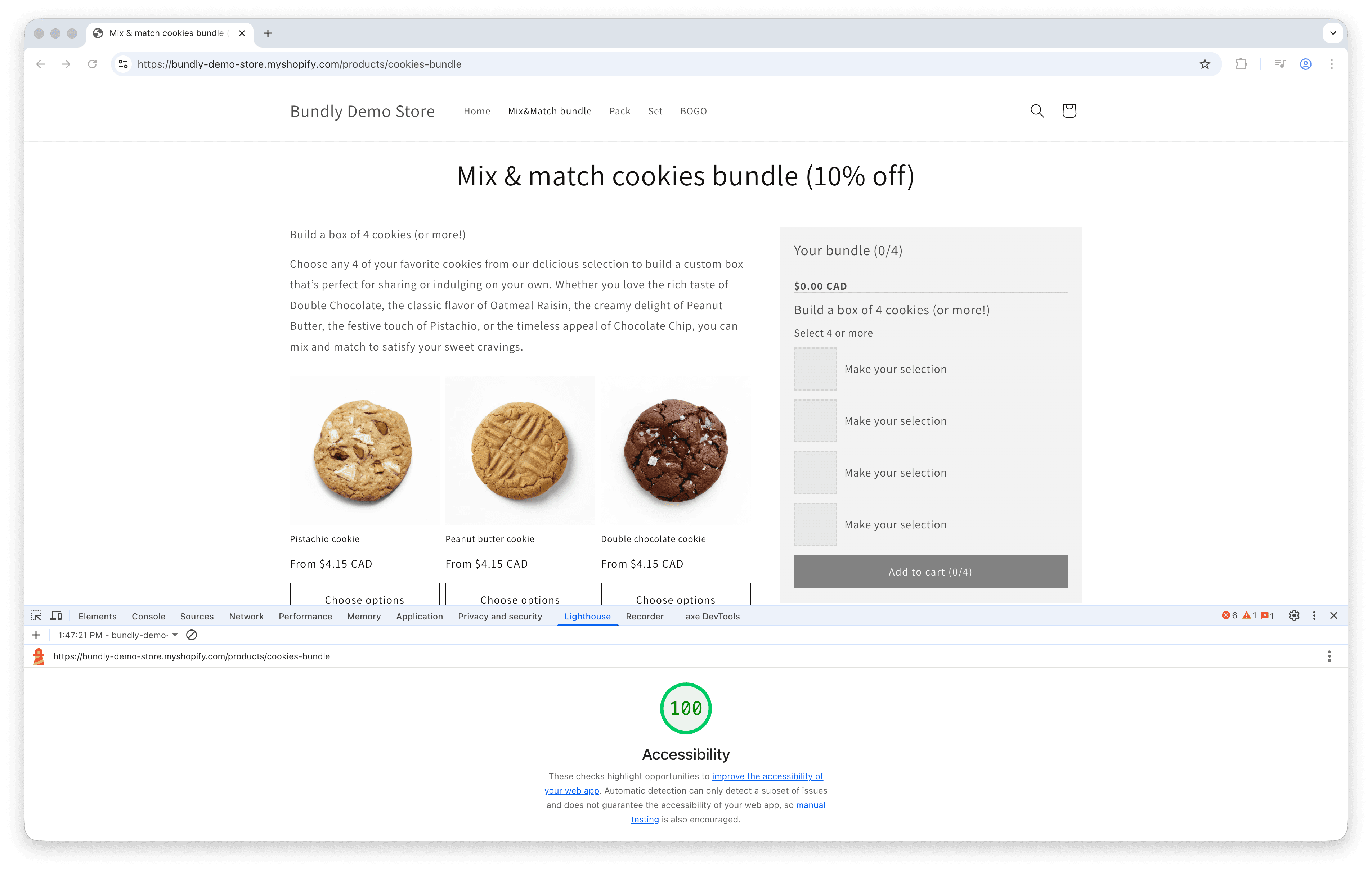
Bundly's bundle widget on our demo store, scoring 100/100 on Chrome's Lighthouse accessibility audit.
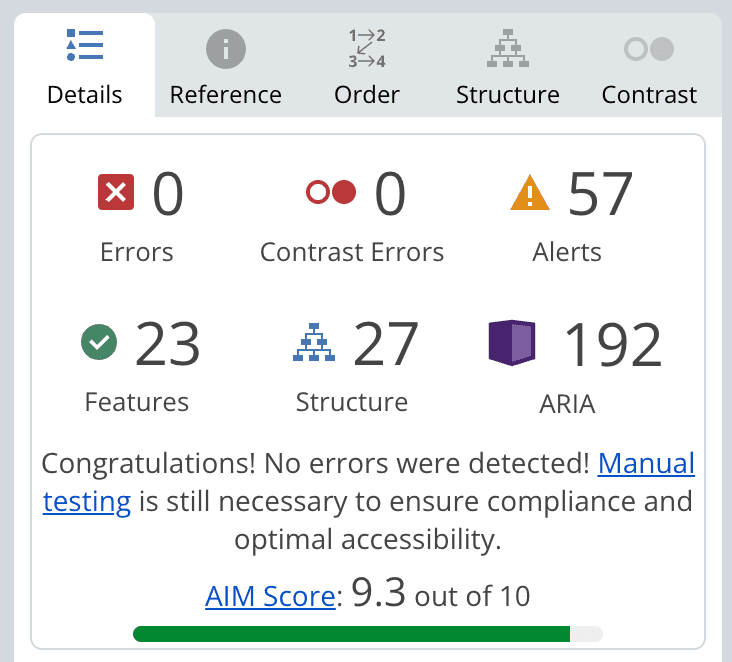
WAVE evaluation of a Bundly bundle page: zero errors, zero contrast errors, and an AIM Score of 9.3 out of 10.
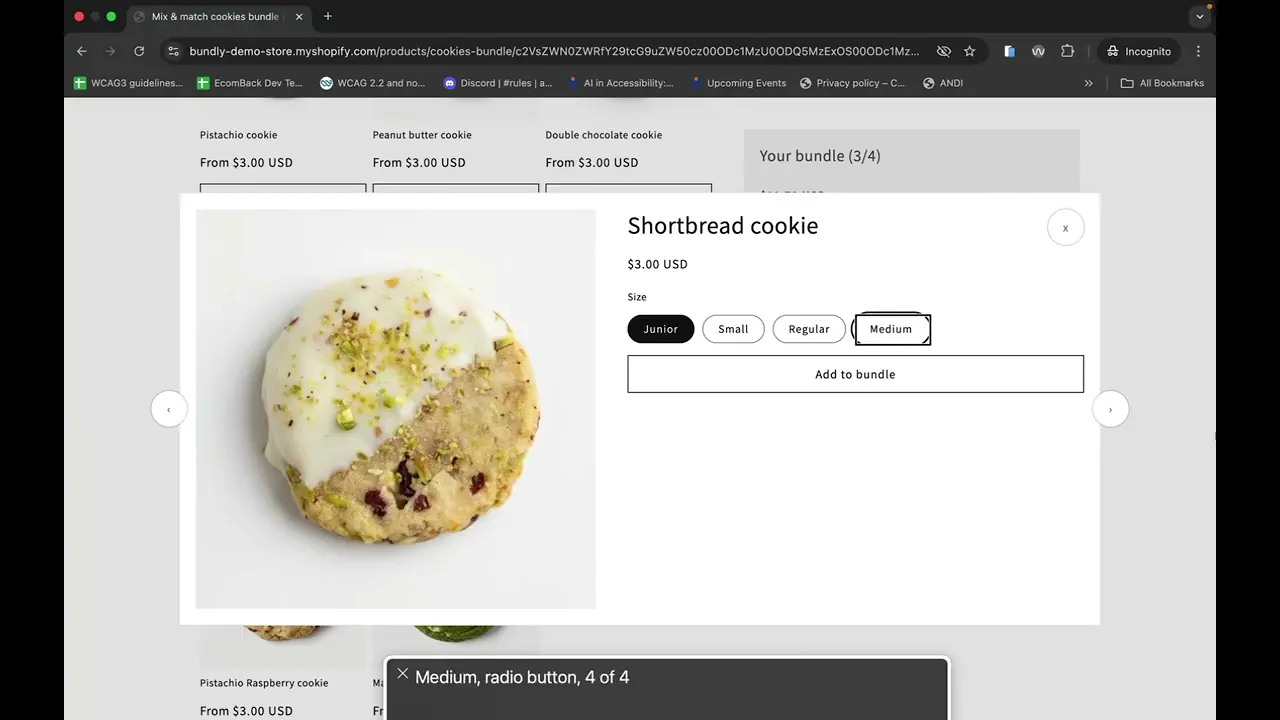
VoiceOver walkthrough of Bundly's bundle widget: keyboard navigation, bundle summary announcements, and focus management on bundle completion.
What the three rounds tested
Each round of this process tested a different aspect of screen reader accessibility, and together they cover the three things any Shopify app audit will check:
Keyboard navigation. Can you Tab through every interactive element in the widget? Our bundle widget already handled this, but the audit exposed that keyboard access alone isn't enough. What happens after an action matters just as much.
Screen reader announcements. Does the app tell assistive technology when something changes? This was the core failure. The bundle's state changed (from incomplete to purchasable) and the screen reader had no idea.
Focus management. After an action, where does the cursor go? This is where we iterated the most. Moving focus to the wrong place (Add to Cart without context) can be as confusing as not moving it at all. The final solution, focusing the summary, gives users both the status update and the context they need.
If you're evaluating whether a Shopify app is accessible, those three questions are the ones to ask.
What we're doing going forward
Accessibility isn't a checkbox. It's ongoing work. Themes change, features get added, and new edge cases appear. Bundly has been tested by a professional accessibility consultancy using VoiceOver, JAWS, and NVDA, and the issues they found have been addressed. We're continuing to treat accessibility as a priority as we build new features.
If you want to see how Bundly handles accessibility in practice, try Bundly free for 14 days on the Shopify App Store, or see how it compares with other apps in our Shopify bundle app comparison.